
Ever since I first started diving with my phone in a diving phone case, people have been asking me if they can also live stream underwater when they are using their phone to film and take photos while underwater. And for the longest time, I had to answer that doing so is not an option and that they have to wait until they are back at the surface to share the underwater world with others.
But recently, I had the chance to get my hands on the new SeaLink Mobile Transmitter by Divevolk, and after testing it, I am happy to say that there now is a device that can make your underwater live streaming dreams come true. And of course, this means you can also make video calls and send messages while scuba diving.
I knew I had to dive with it from the moment I first saw it at the Boot Show in Germany, and let me tell you that getting to use the Divevolk SeaLink Mobile Transmitter was beyond exciting as I could finally share what it is like to dive in real time.
It was an experience that turned out to be quite different from merely showing family and friends videos, as I could interact with them in real time and therefore convey more of the joy that diving brings me. And of course, I also ended up live streaming from underwater to explore the educational uses of the mobile transmitter.

This post may contain affiliate links(*), which means I may receive a commission, at no extra cost to you if you make a purchase through a link. Please see the full disclosure for further information.
How do you live stream underwater with your phone?
If you have ever looked at your phone while descending, you will have noticed that your phone cannot maintain its connection with phone towers once it is submerged in more than 10 to 20 cm of water. This is due to the fact that water absorbs radio waves like those phones use for wireless communication. As such, a phone in a regular diving phone case cannot be used to live stream underwater. And while there are very expensive options for cameras, there was previously no option to overcome this obstacle when using one’s phone.
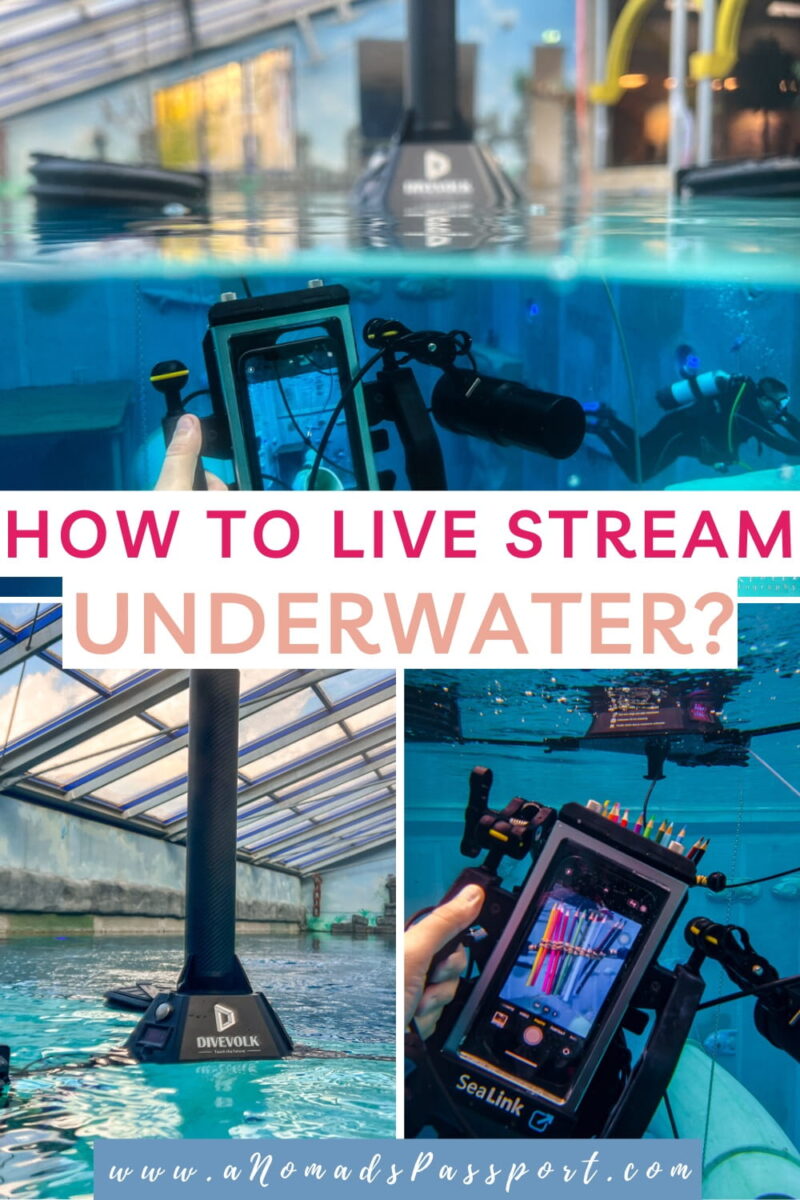
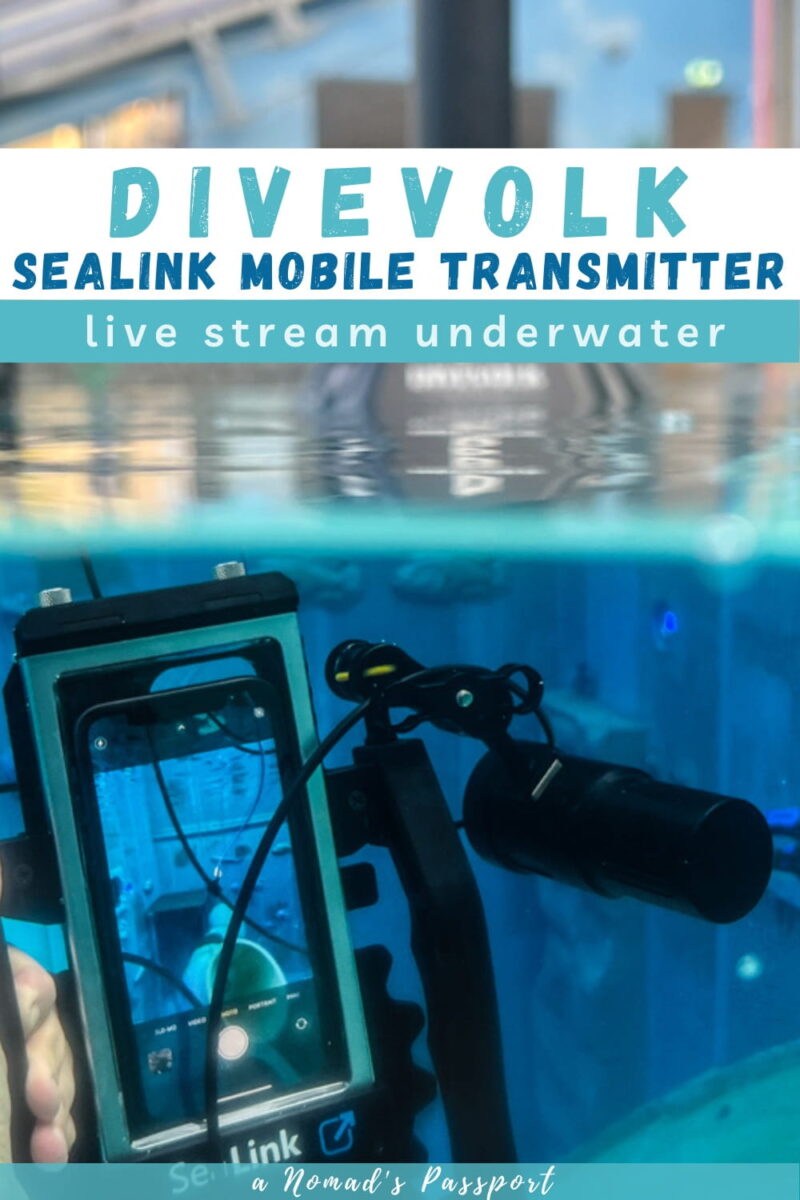
But thankfully, Divevolk’s new SeaLink Mobile Transmitter fills this gap in the market and therefore enables everyone to live stream from underwater with their phone. Consisting of a modified Divevolk diving phone case, a connecting cable and a floating surface unit, it is a solid product that is easy to set up, can be easily transported, and that makes the technology accessible to all divers. It allows you to live stream underwater the same way you would on land.
What do you need to live stream while scuba diving?
Divevolk SeaLink Mobile Transmitter — the transmitter is attached to a slightly modified Divevolk Seatouch 4 MAX housing, so everything works the same way it usually does when diving with your smartphone in the housing.
Local Roaming SIM Card — you need mobile data to be able to live stream underwater, so be sure to get a physical SIM card with data roaming.

I tested the Divevolk SeaLink Mobile Transmitter in Germany and ended up getting an Aldi Talk prepaid SIM card. In order to use it, I first had to put it into my phone and remove the SIM lock as there is no way to unlock it while it is inside the surface unit.
About the Divevolk SeaLink Mobile Transmitter
The Divevolk SeaLink Mobile Transmitter essentially consists of two units that are connected by a cable: a floating surface unit and a handheld underwater unit. Thanks to the cable length, it enables divers to live stream or communicate in real time from depths of up to 30 meters. It has a total weight of around 4 kg.
The floating surface unit is equipped with an antenna and central processor that receives carrier signals like 4G and 5G. The SIM card has to be inserted in this unit.
The carrier signal is then transmitted to the handheld underwater unit via the cable, similar to how Ethernet cables are often used to set up Wi-Fi networks in houses. A built-in bungee cord ensures that it is not possible to accidentally rip out this connecting cable while diving. The cable sections that are not in use are rolled up on a reel and cannot accidentally unravel as there is a locking mechanism.
The handheld unit is a modified Divevolk Seatouch 4 MAX housing in which you insert your phone after connecting it to the housing’s Wi-Fi port. Above the surface, it has a weight of 1.7 kg, but while it is negatively buoyant, it is significantly lighter underwater. Therefore, you likely do not need float arms to compensate for the weight. If you want to do so anyway, you can easily attach thread ball heads to two attachment points on the handles.
What is it like to use the Divevolk SeaLink Mobile Transmitter?
I used the Divevolk SeaLink Mobile Transmitter on two separate occasions, and after watching the tutorial video, I found it incredibly easy to use as everything was straightforward. As is the case with the regular Divevolk diving phone case, the modified version allows you to use all of your phone’s apps with the added benefit that you can now also use apps and features that require mobile data.
As such, I not only live streamed when I dove with it, but also did a few video calls with family and friends who were absolutely astonished, sent a few messages, googled several things, and even played an online game.
Consequently, I can attest that I was really able to do everything I would usually do with my phone while diving. Mind you, I usually would not be playing games while diving, but I wanted to test the connection with a range of activities that require a high data speed. And at the end of my tests, I can only say positive things as the SeaLink delivered exactly what it promised.
You can find my YouTube live streams here and here. A full video about my product test of the SeaLink Mobile Transmitter will follow soon.
While it is conveniently stored in the transport suitcase, I recommend transporting it in a mesh bag after diving with it. This way, you can let it dry after rinsing it off and do not risk water entering the unit when you disassemble it.
Is It Easy to Assemble It?
The assembly of the Divevolk SeaLink Mobile Transmitter is rather easy and once you know how to do it, it can be done in less than 5 minutes. As such, you can do the setup at the dive site and do not have to fully assemble it beforehand. Just ensure you take the setup time into account so your dive buddies do not have to wait for you.

- Insert the SIM card into the surface unit.
- Connect the antenna to the floating surface unit. Attach the cable of the antenna section, before placing the antenna and turning it sideways. When placed, the white arrow has to align with the logo before you turn it clockwise.
- Insert fully charged batteries into the surface unit. It is possible to use it with only two batteries in the middle slots, but doing so cuts your usage time in half.
- Turn on the surface unit by pressing the button.
- Connect your phone to the wifi of the unit. The process is the same as for any other Wi-Fi network. The first time you connect it, you have to enter the password. Once your phone shows the Wi-Fi connection symbol, you are good to go.
- Put your phone into the Divevolk housing attached to the underwater unit. Ensure you use the correct tray for your phone.
- Unfold the arms of the surface unit and inflate the three buoys that provide the buoyancy. Ensure you close the sliders of the buoys after inflating them.
- Once underwater, you simply press the release button and pull on the cable to extend it. When ascending, you use the manual winch to reel in the cable.
I recommend assembling the SeaLink Mobile Transmitter at home before you first use it so you know the process and can deal with the sim card setup. Depending on which sim card you get, this process can take a while as you might have to verify your identity before you can buy a roaming package. Given that it is not recommended to continuously put in and take out SIM cards, I do not recommend using the one from your phone.
Takeaways
The Divevolk SeaLink Mobile Transmitter is certainly a novelty in the diving industry and is the perfect product if you want to be able to live stream underwater or use your phone as a communication device underwater. Due to this, it feels like an extension of the Divevolk diving phone case that I have been using for years now. It unlocks all the remaining features of a phone that one previously could not use, and therefore opens the door to a range of new possibilities.
However, to provide an honest review, I also have to point out the limitations when it comes to using the SeaLink Mobile Transmitter. Most of these are rather self-explanatory, but I think it is important to consider these aspects whenever you plan to dive with the transmitter.
- If the surface is a bit choppy, you will want to leave some slack in the cable so you do not get pulled up, and if the waves are very high, I would not use it.

- For obvious reasons, you also cannot use it while diving in overhead environments like cenotes, or if your dive plan includes swim throughs.
- Due to the cable length, you cannot use the mobile transmitter when diving deeper than 30 meters.
- To ensure you do not damage the aquatic environment, you have to be aware of where the surface unit is at all times. As such, I advise against using it at dive sites with strong currents as it could easily get pushed against the reef or become entangled.
Who is the Ideal User of the SeaLink Mobile Transmitter?
If you are reading this article about live streaming underwater, you likely already have a specific use in mind, but it might surprise you how many additional uses there are for the Divevolk SeaLink Mobile Transmitter. Among others, recreational divers can use it in the following ways:
- Share what you are seeing underwater with friends in an interactive way. It might just compel them to finally learn to scuba dive too.
- Create unique interactive diving content for social media. It is particularly useful if you focus on the educational side or if you want to enhance your credibility by doing live product reviews.
- Communicate with the surface team during long decompression stops after tech dives.

On the business and commercial side, the SeaLink mobile transmitter can also be incredibly useful for dive centers and in the scientific field.
- Tour operators offering snorkeling and diving tours can live stream what the divers are seeing. As such, it can be turned into a tool that converts sales in the form of OWD course bookings. Dive centers can also rent it out to divers just like some offer rental cameras.
- Dive centers and organizations focusing on protecting the ocean can utilize it to showcase their coral restoration projects or live stream their ocean clean-up and ghost net removal campaigns.
- While rarer, it is also a great add-on for underwater weddings. There was an underwater wedding when I first tested the SeaLink Mobile Transmitter, and I think it would have been incredible if all the non-diving guests had been able to witness the underwater ceremony via a live stream.
- And of course, it is also a great product for scientific monitoring, as it is easy to use and more affordable than traditional setups.
Is the Divevolk SeaLink Mobile Transmitter Worth It?
I previously mentioned a multitude of ways that individual divers and companies can use Divevolk’s new SeaLink Mobile Transmitter, and after testing it myself, I can confidently say that it delivers on what it promises. As such, it is certainly worth it if you fall within those user groups where it provides potential for education, research, or business.
It is ideal for creators and industry professionals looking to extend their ability to showcase diving and the aquatic environment via live streams and real-time underwater communication. If you only dive a few times a year on holiday, however, it likely is not the best investment in gear for you.
I loved being able to video call family and friends while underwater and was glad to show them a glimpse of the freedom that diving provides me, but in the long run, I see my usage on the educational side with occasional live product tests.
Ultimately, the Divevolk SeaLink Mobile Transmitter is a groundbreaking innovation that expands what divers can do beneath the surface. It is an investment that opens a new dimension of interaction between divers and the world above the waves.
More About Underwater Photography & Videography
If you are interested in photography and videography, you might also be interested in these guides and reviews:
How to use your phone as an underwater monitor
iPhone Underwater Photography Tips & Tricks
Is there anything else you would like to know about Live streaming while diving?
Let me know in the comments!
Are you interested in buying the Seatouch Mobile Transmitter?
Save this article for later!



Thank you for this article. It was enlightening and informative.